Automatic Update For Admin
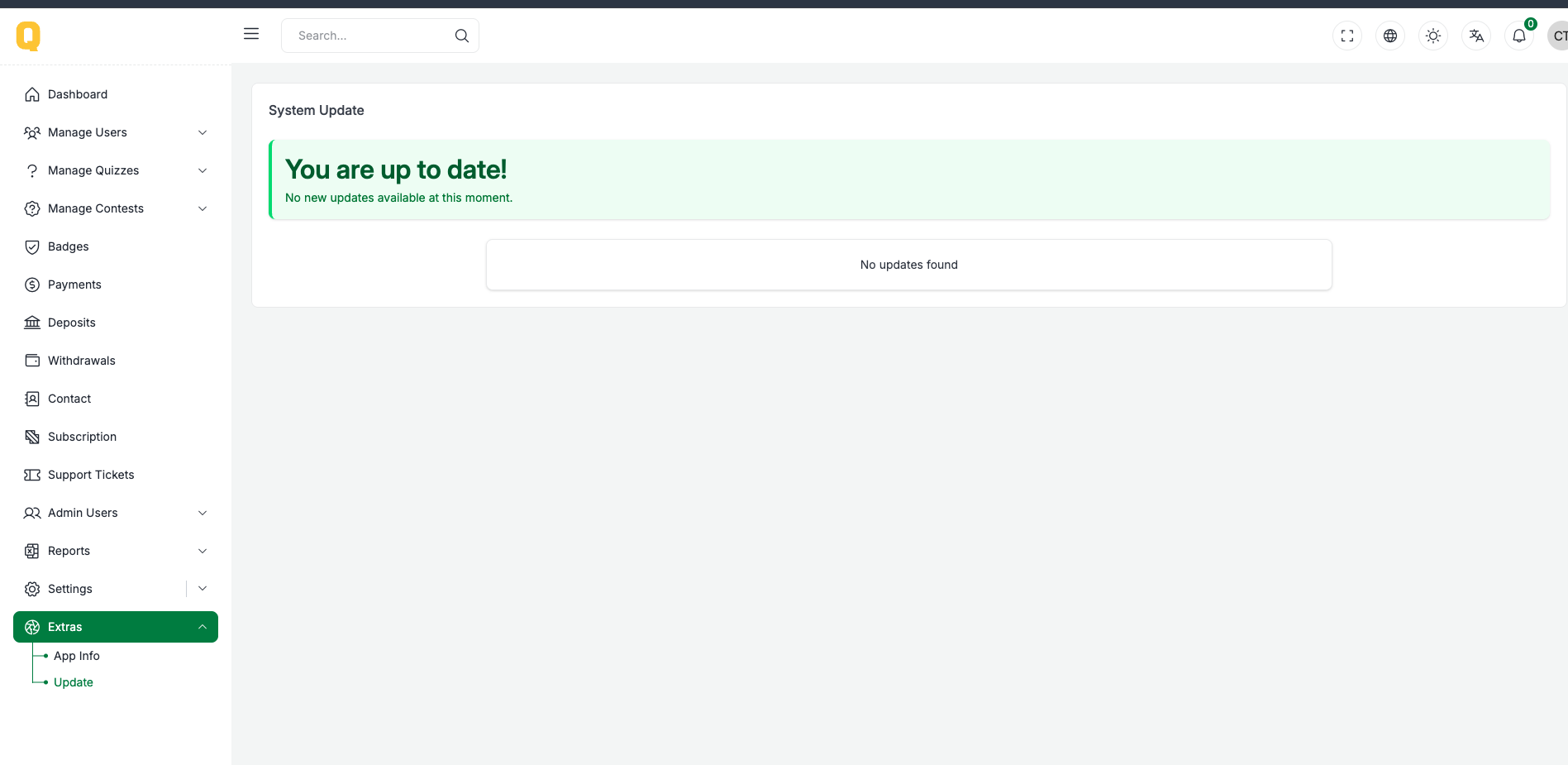
We provide automatic update feature for our Quizix From version 2.0.1. Just go on admin panel on sidebar you will Extra menu on bottom.
On this Extra button have two menus App Info and Update.
Click on update menu and you will two interface one for update if update is available and one for update log.
⚠️ Important Update Notice
Updating your admin panel may take some time.
To ensure the update runs smoothly, please increase the following server configurations:
- post_max_size = 128M
- upload_max_filesize = 128M
- max_execution_time = 3000
Our update system is highly secure; however, for extra safety, please backup your database before performing the update. This allows you to restore your data if anything goes wrong.
During the update process, the following items are NOT replaced:
public/folderstorage/folder.envfile
Your uploaded files and environment configuration are safe.
Please download all clients before starting the update.
When Update is Available
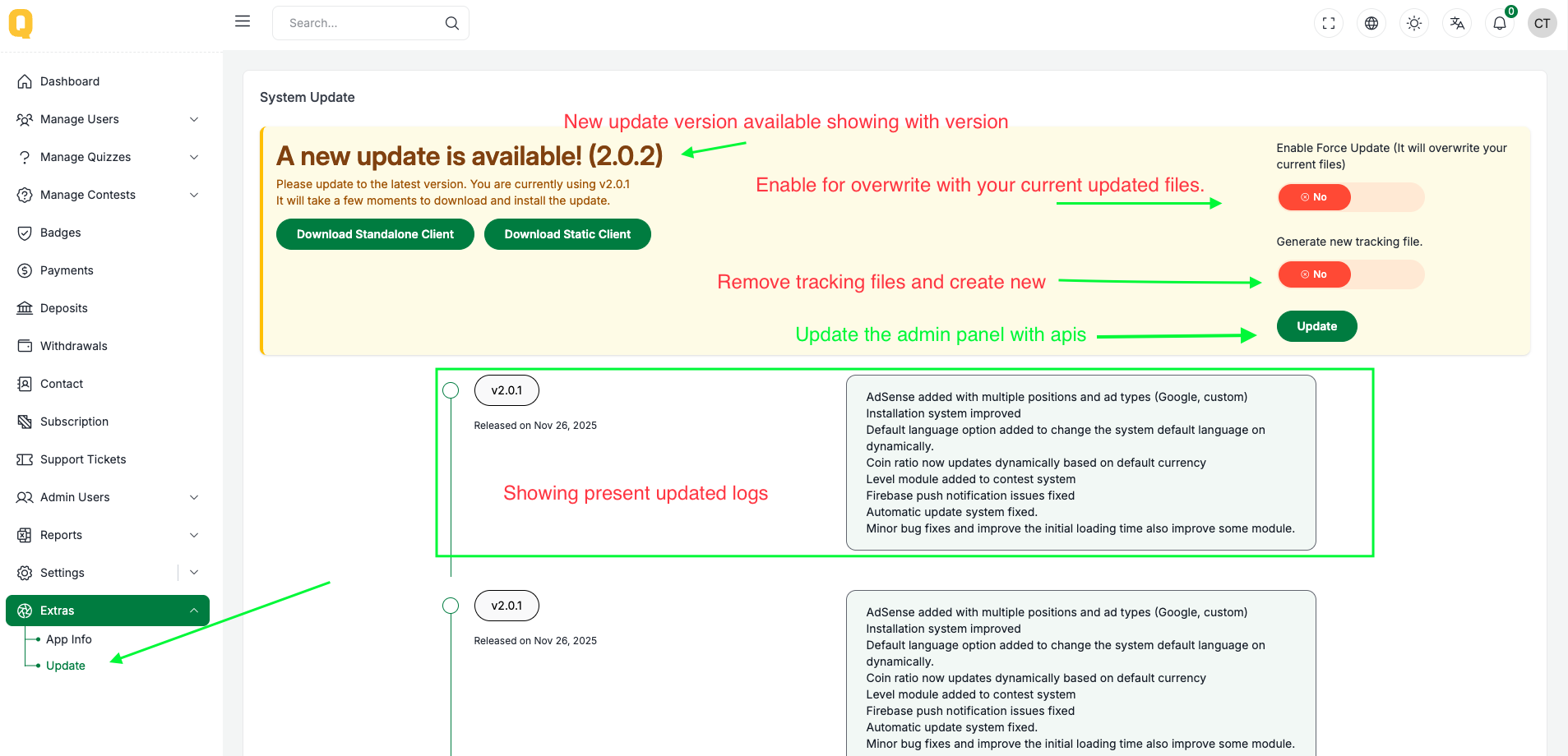
You will see New version available and below,
On this page you will see 2 button on right side Download standalone client and Download static client and it's for frontend.
Note: Download the frontend first before update the admin panel.
On the right side you will see two switch button one for Force Update and one for Delete old tracking file.
Force Update: This will forcefully update on you admin panel even you did update some files manually. (Enable it if you don't went your manually updated files skip)
Delete old tracking file: This will delete the old tracking file.
Now on the bottom of the right side you will see Update button click it to update your admin panel.
When Update is Not Available