VPS
This document will help you to update your project using VPS.
Step 1: Access VPS At first
you need to access your VPS. You can use SSH to access your VPS. If you don't have SSH, you can use any other method to access your VPS. You can use ssh to access your VPS via Putty if you are windows user or use terminal if you are linux user.
ssh username@ipaddress
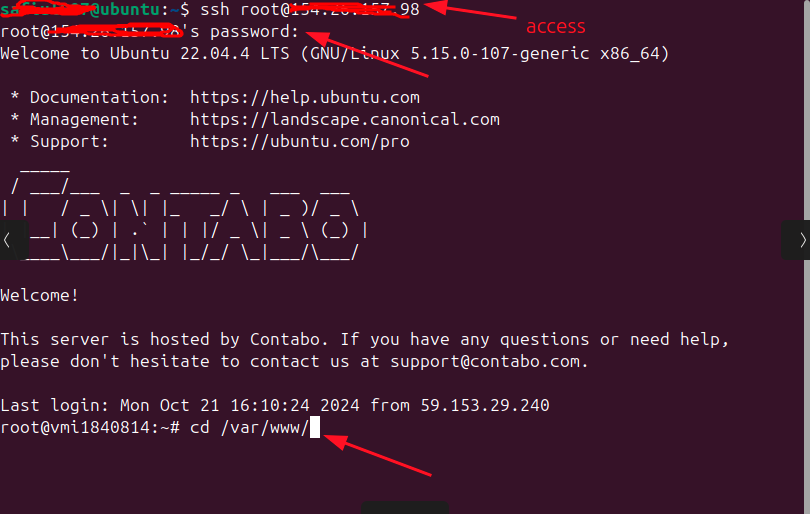
then enter your password.
Now upload the files to the directory,
- Extract the quizix package that you downloaded the latest version from CodeCanyon.
- On that folder, you'll get another file called
core.zip. - Now extract the core.zip file to the core folder.
- now you'll get two zip files called
admin.zipandstandalone-client.zipon core folder.
Now upload this files to the server,
At first, upload the admin.zip file to the /var/www/quiz/admin directory,
scp -r core/admin.zip root@server:/var/www/quiz/admin
Now upload the standalone-client.zip file to the /var/www/quiz/client directory,
scp -r core/standalone-client.zip root@server:/var/www/quiz/client
Now, you'll get two folders called admin and client on /var/www/quiz/
Now, extract the admin.zip file,
cd /var/www/quiz/admin
unzip -o admin.zip -d /var/www/quiz/admin
rm -rf admin.zip
Give permission to the admin folder,
sudo chown -R www-data:www-data /var/www/quiz/admin/bootstrap/cache
sudo chown -R www-data:www-data /var/www/quiz/admin/storage
Now, extract the standalone-client.zip file,
cd /var/www/quiz/client

find . -mindepth 1 ! -name '.env' -exec rm -rf {} +

unzip -o standalone-client.zip -d /var/www/quiz/client

rm -rf standalone-client.zip
Step 2: Restart Nginx
Now, restart the Nginx service and PHP-FPM service,
sudo systemctl restart php8.3-fpm
sudo systemctl restart nginx
Step 3: restart supervisor
sudo supervisorctl reread
sudo supervisorctl update
sudo supervisorctl start quizix-worker:*
Step 4: Client Part Installation
Go to the client directory,
cd /var/www/quiz/client
Now run the following command, Delete .next folder:
Build the project:
npm run build
Install PM2 globally:
pm2 delete quizix-client
Start the project with PM2:
pm2 start npm --name "quizix-client" -- run start
pm2 save
Now you have successfully updated your Quizix.